Email remains a key channel for customer support, with many businesses handling hundreds or thousands of messages daily. Managing this volume while keeping response times low can be challenging.
AI tools now offer smart ways to speed up email support without losing the personal touch. Kodif’s AI customer support solutions show how automation can handle common questions, sort incoming emails, and help agents work faster—all while keeping customers happy.
AI automation for email support isn’t about replacing your team. It’s about giving them better tools to work smarter. The right AI tools can cut response times from days to minutes, free up staff for complex issues, and create more consistent answers across your support channels.
How AI Changes Email Support
Email support has always had a timing problem. Customers send messages at all hours, but support teams can only work so many shifts. This gap creates delays and unhappy customers. AI systems change this by working 24/7, handling many tasks without human help.
According to studies, nearly 8 in 10 customers who have used AI tools for customer support actually had a better experience.
AI tools for email support can read incoming messages, understand what customers need, and either send helpful answers right away or get things ready for your team. Modern AI doesn’t just look for keywords—it really understands the questions and feelings in customer emails.
The benefits show in the numbers: faster first responses, more tickets solved per agent, and higher customer ratings. What used to take hours now happens in seconds.
Essential Features Of AI Email Support Tools
Good AI email tools share some key features that make them useful for busy support teams:
- Smart sorting: AI reads and routes emails based on what they’re about, how urgent they are, and which team should handle them.
- Automatic answers: For common questions, AI can send complete, accurate responses without any human review.
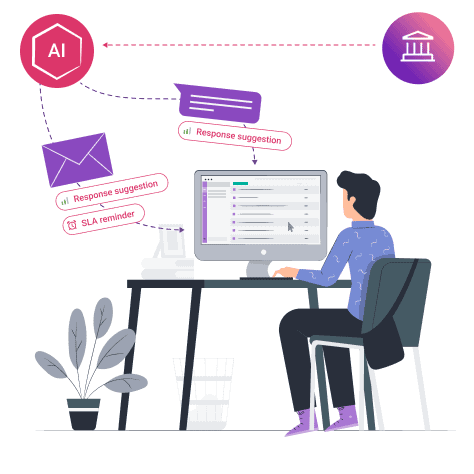
- Answer suggestions: For trickier questions, AI suggests responses that agents can use or edit before sending.
- Knowledge finding: AI pulls information from your help center, product docs, or past tickets to answer new questions.
- Language help: AI can fix grammar, adjust tone, or translate messages to match your brand voice.
Some platforms focus on one or two of these features, while complete systems offer all of them working together.
Top AI Tools For Email Support Automation
Several tools stand out for handling email support through AI. Each has strengths that fit different business needs.
- Zendesk AI offers strong integration with its popular help desk platform. It excels at suggesting answers from your knowledge base and learns from agent actions to improve over time.
- HubSpot Service Hub includes AI tools that can sort incoming emails by type and urgency while offering smart reply suggestions based on previous similar conversations.
- Freshworks CX includes Neo, an AI assistant that can draft responses, categorize tickets, and extract key information from lengthy customer emails.
- Intercom Resolution Bot can answer common questions completely on its own, freeing agents from repetitive responses while maintaining a consistent brand voice.
- Gorgias specializes in e-commerce support, with AI that understands product questions and can pull order information directly into responses.
- Front’s AI features focus on email management and routing, helping teams collaborate on complex customer issues with smart assignments.
Modern AI support platforms can read emails like a human would, figuring out what customers need even when they don’t state it clearly. They detect when customers are upset and flag those messages for quick human attention.
Many tools now connect with common email systems like Gmail and Outlook, plus help desk software like Zendesk, Freshdesk, and Intercom. This means you can add AI without changing your current setup.
The best systems also learn from your team’s work. They watch how your best agents handle different questions and learn those patterns for future similar situations.
Setting Up AI Email Support: Step-by-Step
Adding AI to your email support doesn’t have to be hard. Most modern systems make setup fairly simple:
- First, connect your email accounts or help desk to the AI system. Most tools use secure API connections that take minutes to set up.
- Next, feed the AI your existing knowledge. Upload help articles, product guides, and sample emails so the AI learns your business and products.
- Then test the system with some sample customer emails. Check that it routes messages correctly and suggests good answers. Make adjustments as needed.
- Start small by having AI handle just one type of question or request. As you build trust in the system, you can expand to more complex tasks.
- Finally, train your team to work with AI suggestions. Show them how to edit AI-generated answers and when to write their own responses instead.
The key is starting with simple, common questions where AI can be most helpful right away.
Common Challenges and Solutions
Adding AI to your email support can bring challenges. Knowing these ahead of time helps you avoid problems:
Too many wrong answers happen when AI isn’t trained on your specific products or services. Fix this by feeding it more of your help content and correcting mistakes it makes.
Customer frustration can occur if AI answers sound robotic or miss the point of questions. The solution is using AI that can match your brand’s tone and checking its work before sending it to customers.
Team resistance might happen if agents feel AI threatens their jobs. Show them how AI handles boring tasks so they can focus on more interesting work.
Privacy concerns need addressing through clear data policies. Make sure your AI vendor follows proper security rules for handling customer information.
Poor integration with existing systems can slow things down. Test connections thoroughly before full launch to ensure smooth data flow between systems.
Measuring Success With AI Email Support
How do you know if your AI email system is working well? Look for these signs:
- Response time should drop significantly—often from hours to minutes for first replies.
- Resolution time may also improve as AI helps agents find answers faster or solves simple problems automatically.
- Customer satisfaction scores tend to rise when people get faster, more accurate answers.
- Cost per ticket usually falls as each agent can handle more questions in the same amount of time.
- Agent satisfaction often improves when AI handles repetitive questions, leaving humans to solve more interesting problems.
Track these measures before and after adding AI to see the real impact on your support operation. Many support teams using AI customer support tools like Kodif find that regular training sessions help both AI systems and human agents improve together.
Final Thoughts
AI email support tools have changed from simple auto-responders to smart systems that truly help support teams work better. The best results come from finding the right mix of AI efficiency and human touch for your specific business needs.
The goal isn’t to replace your support team but to give them superpowers. When AI handles routine questions, sorts incoming messages, and suggests answers, your human agents can focus where they add the most value—solving complex problems and building customer relationships.
As these tools continue to improve, even small support teams can offer big-company response times and quality. AI support platforms like Kodif make advanced tools accessible without requiring technical expertise, letting any size business improve their customer experience through better email support.